Most printers nowadays have their own interfaces or a physical button on the printer which allows you to cancel prints.
Yet, canceling a print job from Windows is more desirable because it works on all printers and more importantly, it doesn't require you to get up and walk all the way to the printer.
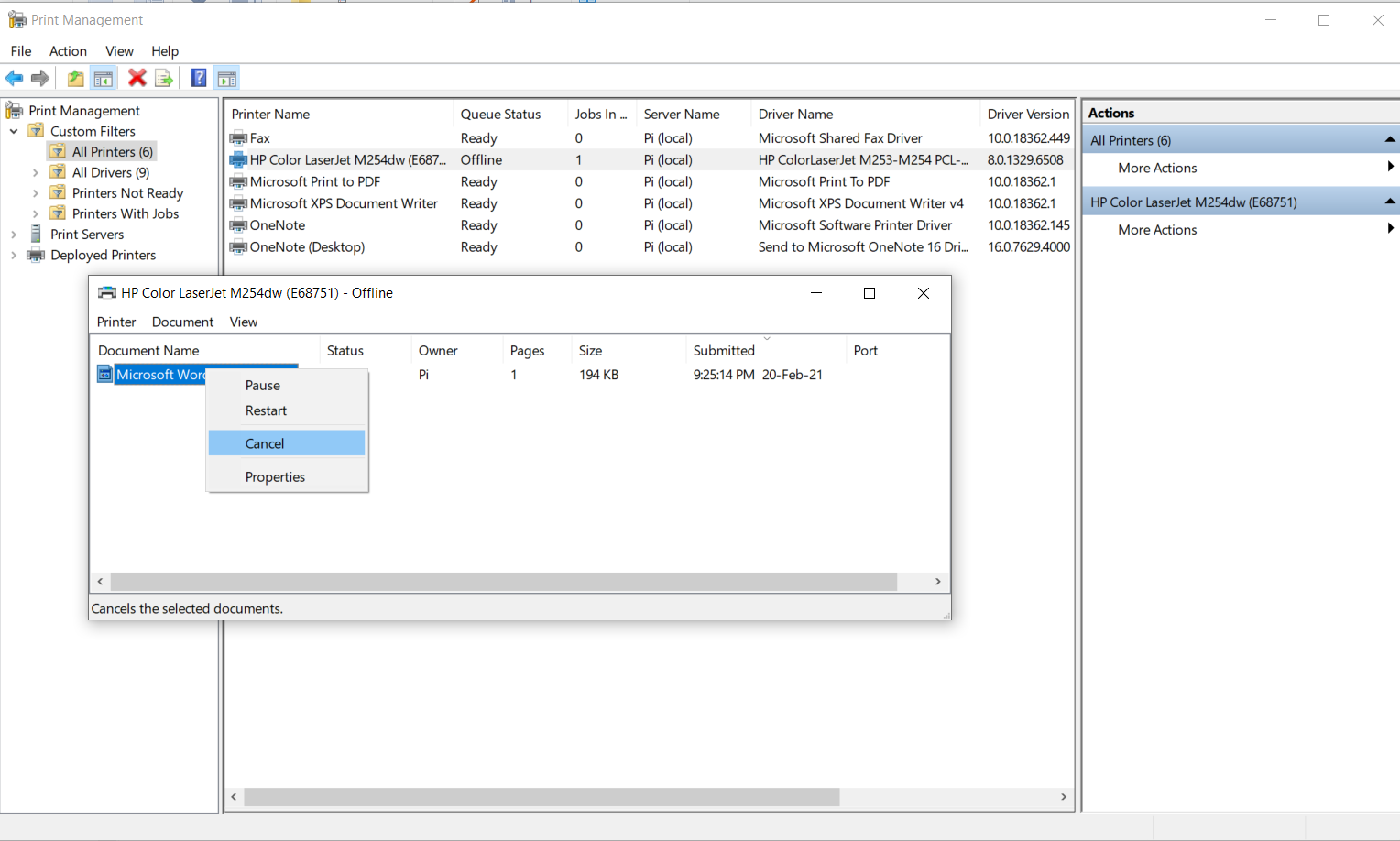
- In the Start Menu, search for Print Management. Click it to open the Print Management window.
- Click on All Printers. This will show a list of all the printers that you've drivers installed for.
- Right-click on your printer, then select Open Printer Queue.
- In the printer queue, select the print job or jobs you want to cancel.
- Right-click the highlighted print job and select Cancel.
Was this article helpful?
That’s Great!
Thank you for your feedback
Sorry! We couldn't be helpful
Thank you for your feedback
Feedback sent
We appreciate your effort and will try to fix the article